ESRS 2026 reporting software
Know what is missing. Move ESRS reporting forward.
Give every disclosure one place where the work happens. Collect answers, attach evidence, assign responsibility and track what still needs review in one ESRS 2026 workspace.
For sustainability teams coordinating contributions from finance, HR, operations and external stakeholders.
Built on the revised ESRS in Commission Delegated Regulation (EU) 2026/1563, published in the Official Journal on 21 September 2026.
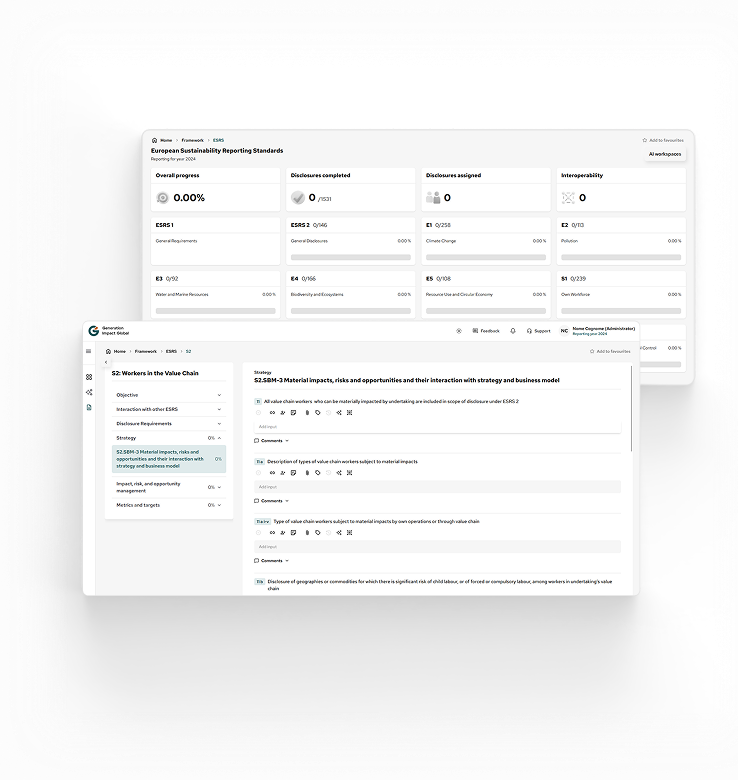
Table of contents



Less chasing. Clearer ownership.
Keep reporting work moving, from first input to final review.

ESRS reporting brings together people who hold different parts of the answer. Generation Impact Global keeps their inputs, supporting documents and review status connected to the disclosure they belong to.
See where to focus next
Track answered and verified datapoints separately. Find unfinished work, overdue tasks and disclosures without an assignee before they hold up your reporting cycle.
Make responsibility visible
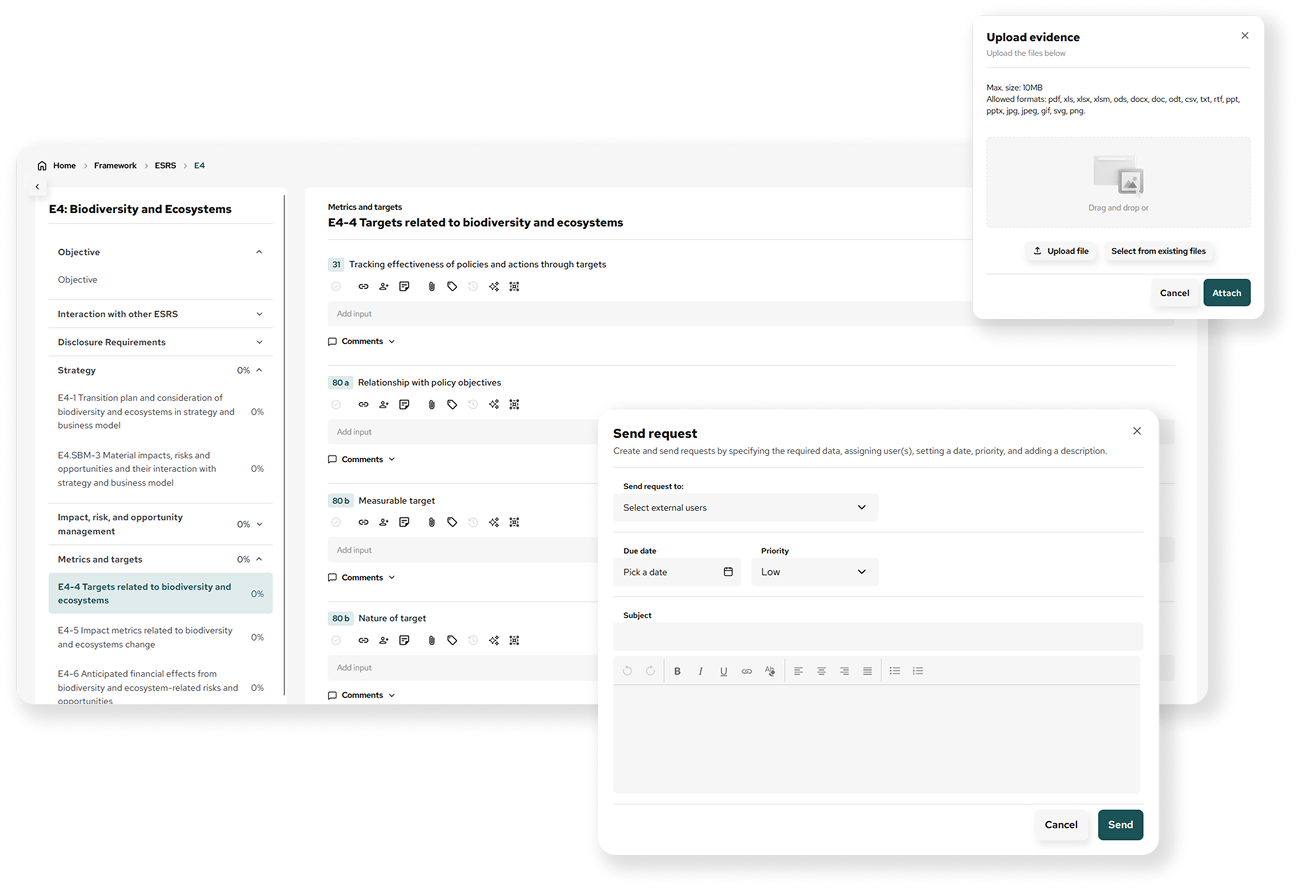
Assign disclosures, set deadlines and request contributions. Keep comments beside the answer so the next person can follow the discussion.
Give reviewers the context
Attach evidence to individual disclosures and inspect answer history. Review the figure alongside its supporting material, rather than reconstructing the explanation later.
Reduce repeated preparation
Use VitAI™ for supported answers and inspect mapped responses for reuse. Your team reviews what is relevant before applying it to the disclosure.
A dedicated ESRS 2026 workspace
Turn the reporting catalogue into a practical worklist.
Move through standards, disclosure requirements and individual datapoints in a structured workspace. Open application guidance beside the question and keep the reporting year and entity in view.
Set your undertaking category and first reporting year to distinguish phase-in deferrals in the dashboard. Conditional requirements remain visible for your team to assess.
Walk through your reporting setup
A clear view of the work ahead
Progress by standard
Separate answered content from verified content.
Work that needs attention
Find unassigned items, open requests and overdue tasks.
Guidance where you answer
Read application requirements and datapoint metadata.
Profile-based phase-in view
Keep deferred work distinct from the current worklist.
How it works
A clear next step at each stage of the reporting cycle.
1. Set up the reporting context
Select the entity and reporting year, then record the reporting profile. Review the standards and available guidance.
2. Organise contributions
Assign disclosures and deadlines. Send data requests to the people who hold the information.
3. Prepare the answers
Enter narratives and figures, attach supporting files, and use comments to resolve questions. Apply reviewed VitAI™ suggestions or mapped responses where available.
4. Review and export
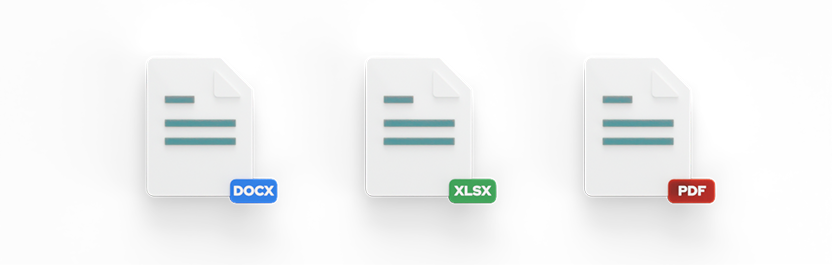
Follow outstanding work in the dashboard. Verify prepared answers and export reporting content in Word, Excel or PDF.
Features in detail
The tools behind a more manageable reporting cycle.
From reference guidance to disclosure history, each feature supports a specific part of preparing and reviewing your ESRS content.
Dedicated ESRS 2026 edition
Work in a separate reporting edition with its own navigation and catalogue.
Entity and year context
Keep reporting work tied to the selected company, fund or holding and reporting year.
Reporting profile
Record the undertaking category and first reporting year used by the dashboard.
Phase-in tracking
Distinguish profile-based deferrals from the work shown as applicable.
Standards and datapoint navigation
Move from each standard to its disclosure requirements and answer fields.
Application guidance
Open linked application requirements beside the relevant datapoint, with links to the EFRAG Knowledge Hub.
Requirement metadata
Inspect conditionality, disaggregations, phase-in text and EU references where supplied.
Policy, action and target structure
Prepare related General Disclosure Requirement answers within topical disclosures.
Reporting dashboard
View overall progress and status by standard without opening every disclosure.
Searchable worklist
Find items by disclosure, datapoint, reference or label, filter the work that needs attention, and pick up where you last left off.
Assignments and deadlines
Give disclosure work an owner and a due date.
Data requests
Request contributions and track pending requests alongside reporting tasks.
Team workload
See assigned, completed and overdue work by contributor.
Comments and opinions
Work on answers together in real time, and keep discussions and reviewer input connected to the disclosure.
Labels
Organise disclosures with labels your team can find again.
Narratives and numeric inputs
Prepare written answers and supported numeric types in the reporting workspace.
Disclosure-level evidence
Attach supporting files to the answer they explain.
Verification and edit protection
Let authorised administrators verify answers and protect verified content from ordinary edits.
Answer version history
Inspect saved answer versions as part of your review.
Earlier-year answers
Consult available historical content within the ESRS 2026 edition.
Audit logging and activity
Keep recorded answer changes and recent reporting activity available for oversight.
Role-based controls
Separate viewing, contribution and verification responsibilities.
VitAI™ assistance
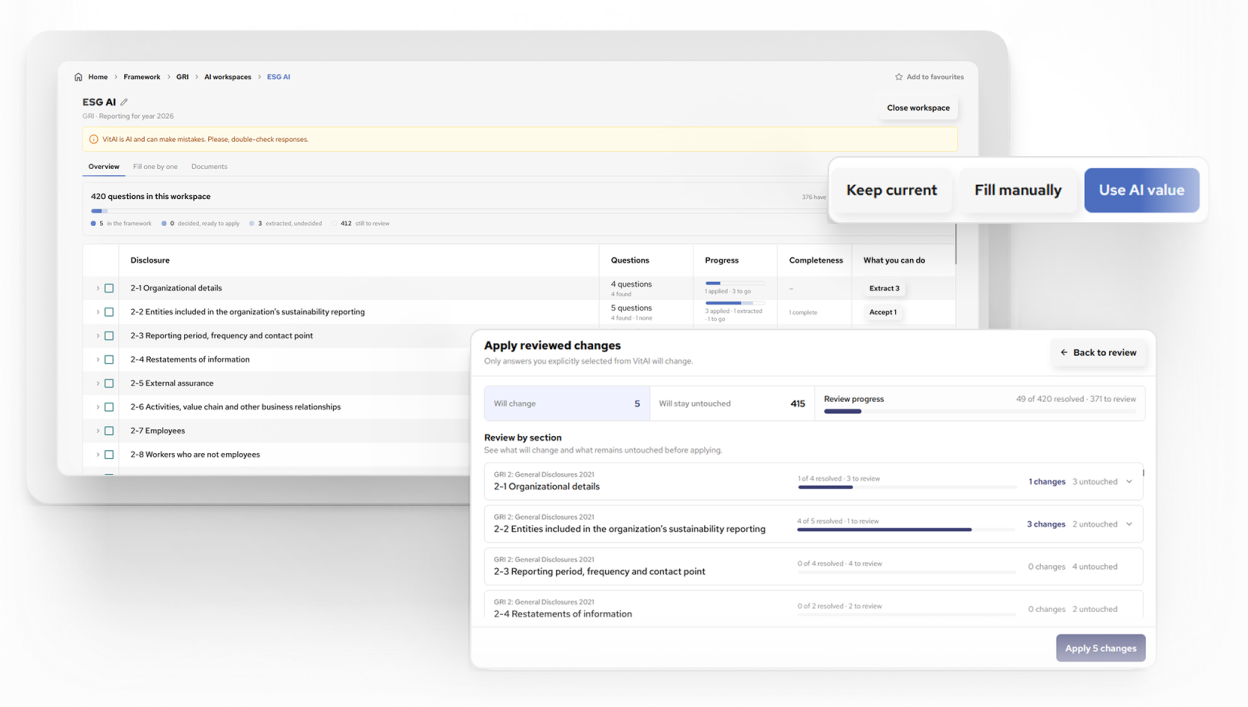
Extract and review suggestions for supported ESRS 2026 answer types. AI-generated answers are marked, so reviewers can see where content came from.
Mapped data reuse
Inspect available framework and QB-EDGE mappings and copy suitable answers into the disclosure.
Word, Excel and PDF exports
Take prepared reporting content into the format your review process uses.
*Feature access depends on your plan, permissions and enabled options. VitAI™ supports selected answer types; data reuse depends on available mappings.
VitAI™ and interoperability
Start from the information you already hold, and review what goes into each answer.
Start with supporting documents
Use VitAI™ to prepare suggestions for supported disclosures. Review the proposed content before applying it, then continue working in the same reporting workspace.
Reuse a suitable mapped response
Inspect available interoperability and QB-EDGE mappings beside the disclosure. Copy relevant content into the answer and check that its scope, reporting period and meaning fit.
* Reuse is a reviewed copy action. It depends on mappings and does not mean every framework stays automatically synchronised.
Evidence, review and outputs
Keep the answer and its supporting record together.
Give internal reviewers a direct route to the content, files, comments and answer history behind a disclosure. Authorised administrators can verify prepared answers; verified content is protected from ordinary edits until verification is removed.
When you are ready to share your reporting content, choose the output your next step needs.
Who it is for
One view of the reporting work for every contributor.
Sustainability leads
Coordinate disclosures, spot gaps and keep the reporting cycle moving.
Finance and control teams
Review supporting records, verification status and changes to prepared answers.
HR and operations contributors
Find assigned work and answer with the relevant guidance and evidence close by.
Consultants and reporting advisers
Work with authorised client teams and keep disclosure discussions in context.
Frequently asked questions
What is the ESRS 2026 reporting workspace?
It is Generation Impact Global’s dedicated edition for preparing ESRS 2026 disclosure content. It brings together standards navigation, answer preparation, supporting evidence, tasks, guidance and review tools.
Which version of ESRS does the workspace follow?
It follows the revised ESRS in Commission Delegated Regulation (EU) 2026/1563 of 3 July 2026. The regulation enters into force on 10 November 2026 and applies to financial years starting on or after 1 January 2027. For financial year 2026, undertakings already in scope may apply the earlier ESRS, with or without certain reliefs from the revised set, or the revised ESRS in full.
How does the reporting profile help?
Your undertaking category and first reporting year inform the dashboard’s phase-in view. The profile helps distinguish deferred datapoints; it does not replace your organisation’s materiality assessment or decide its legal reporting scope.
Can several people contribute to the reporting cycle?
Yes. Assign disclosures, set deadlines, request data and discuss answers through disclosure-level comments. Available actions depend on each user’s role and plan.
How does VitAI™ help with ESRS 2026?
VitAI™ can extract and prepare suggestions for supported answer types, with a review step before application. ESRS 2026 does not support framework-wide automatic filling of every disclosure.
Can we reuse existing data?
You can inspect available interoperability and QB-EDGE mappings and copy suitable content into an answer. Check scope and reporting period before reuse. Historical answers within the ESRS 2026 edition are available where they exist.
Which formats can we export?
The reporting flow supports PDF, Excel and Word. Export availability and usage limits depend on your plan. Exports are for review and drafting. They are not XBRL-tagged for digital filing.
Which features are included in our plan?
Ask for a walkthrough of your reporting process and the features you need. We will show the relevant controls and explain plan access, permissions and usage limits.
Bring one reporting challenge and see how your team would handle it.
Walk through a disclosure, its supporting evidence, contributor tasks and review controls. See how ESRS 2026 could fit your reporting process.
Generation Impact Global is a Friend of EFRAG and certified to ISO/IEC 27001 for information security.



Related articles
 Read more: Brazil CVM Opens Consultation on Mineral Resource Accounting Rules
Brazil CVM Opens Consultation on Mineral Resource Accounting Rules
 Read more: CVM Opens Public Consultation on Technical Pronouncement Revision for International Accounting Convergence
CVM Opens Public Consultation on Technical Pronouncement Revision for International Accounting Convergence
 Read more: EBA Details Plan to Simplify EU Supervisory Reporting and Extends Timelines to 2027
EBA Details Plan to Simplify EU Supervisory Reporting and Extends Timelines to 2027