
1Step 1 of 6
Create questionnaire templates in QB-EDGE™
Sixteen ways to ask. One template.
Creating templates is the first step in QB-EDGE™ by Generation Impact Global (GIG). A template is the questionnaire you build once and send as often as you need. The team that asks for the data builds it: you write the questions, import them from GRI or ESRS, or let VitAI™ draft them.
Explore QB-EDGE™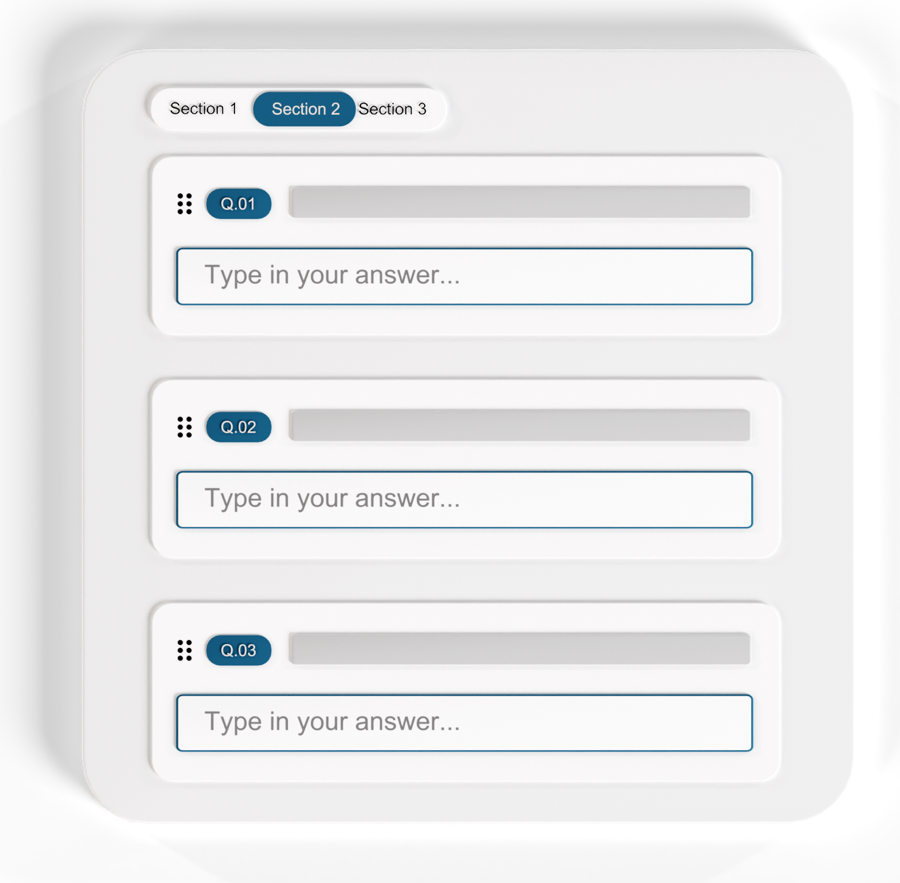
At a glance
16
question types
From yes/no to matrix.
9
condition operators
Such as equals, contains and between.
150
questions per VitAI™ run, at most
You review every one in the editor.
2
frameworks to import from
GRI and ESRS disclosures, as ready-made questions.
What is a template in QB-EDGE™?
A template is the reusable structure of a questionnaire: sections, subsections and questions.
- You can reorder all three levels.
- Each question is required or optional.
- Numbering is automatic or manual. You choose per template.
- A template can open with an introduction page of free text.
Which question types can I use?
QB-EDGE™ has 16 question types, and each one gives the respondent a different answer field.
| Group | Types |
|---|---|
| Choices | Single choice, multiple choice, yes/no |
| Text | Formatted text, plain text, read-only description |
| Numbers | Number, number with unit, percentage |
| Dates | Year, month, date (single or range) |
| Ratings and grids | Star rating, scale, matrix |
| Media | Image |
- A choice can be shown as a dropdown, radio buttons or checkboxes.
- A choice option can carry an “Other, please specify” text box.
- Scales come with seven presets, such as Agreement, Importance and Satisfaction.
Choosing a question type
How do I start: a blank page, a framework or a file?
You can start a template in three ways, and mix them in one template.
Write
Add sections and questions yourself.
Pick a type for each question.
Import
Bring in GRI and ESRS disclosures as ready-made questions.
Imported questions show in each user’s language.
Build with VitAI™
Upload a questionnaire you already have, or describe a new one.
PDF, Word, Excel or CSV. The cost in credits is shown before you start.
VitAI™ writes into draft templates only. You can stop a run, continue it later or undo it.
Importing GRI and ESRS disclosures
How do I show a question only to the people it applies to?
Add a show/hide condition, and the question appears only when the condition holds.
Before
Every respondent sees every question.
Questions that do not fit still appear.
After
Each respondent sees the questions that apply.
A follow-up appears only after the answer that calls for it.
- A condition can combine several earlier answers with AND or OR.
- Conditions are named, so you can reuse one on several questions.
- When an answer hides a question, the answer stored for it is cleared.
9 operators. AND or OR. Several earlier answers in one condition.
When is a template ready to send?
A template is a draft until you publish it. Four steps take it from draft to sent.
- Preview. See the questionnaire as the respondent will see it.
- Publish. QB-EDGE™ blocks publishing while a section or subsection is empty.
- Reuse. Duplicate a template to start a similar one.
- Update. Create a new version of a published template, and choose the version when you send it.
Worked example
Example. The company and the questionnaire are invented.
Demo Manufacturing Ltd (example) builds “Supplier energy check 2026”.
| Section | Questions | How they were made |
|---|---|---|
| 1. Company profile | 5 | Written by hand: plain text, single choice |
| 2. Energy | 8 | 6 written by hand (number with unit, percentage), 2 imported from GRI |
| 3. Transport | 5 | 2 always shown, 3 shown only if “Do you run your own vehicles?” is Yes |
| Total | 18 |
Result: a supplier without vehicles sees 15 questions.
A supplier with vehicles sees all 18.
Good to know
- One language per template. A template holds one language version of its text. Imported GRI and ESRS questions show in each user’s language.
- No file export of a blank template. You can preview and duplicate a template. You cannot export it to a file.
- The image type shows a picture. It lets you place an image in the questionnaire. Respondents attach their own files as evidence on an answer.
Questions about creating templates in QB-EDGE™
What is a questionnaire template in QB-EDGE™?
A template is the reusable structure of a questionnaire in QB-EDGE™: sections, subsections and questions. You build it once, publish it and send it as often as you need.
How many question types does QB-EDGE™ have?
QB-EDGE™ has 16 question types. They cover choices, text, numbers, dates, ratings, a matrix and an image. Each question is required or optional.
Can I import questions from GRI or ESRS?
Yes. QB-EDGE™ imports GRI and ESRS disclosures as ready-made questions. Other frameworks, such as SASB and SFDR, can be mapped to a question but not imported.
Can VitAI™ build the template for me?
In QB-EDGE™, “Build with VitAI™” copies a questionnaire you already have from a PDF, Word, Excel or CSV file, or writes a new one from your description. One run drafts up to 150 questions, and you review everything in the editor.
Can I change a template after I publish it?
Yes. In QB-EDGE™ you create a new version of a published template and choose which version to send. Some features depend on your plan.
Open a free account, or ask us for a walk-through.
Some features depend on your plan. See pricing.
Stay up to date
Keep up with changes on policies, legislations and technologies.
 Read more: European Commission Adopts Simplified Technical Criteria for EU Taxonomy
European Commission Adopts Simplified Technical Criteria for EU Taxonomy
 Read more: The EU Taxonomy gets new screening criteria: what changes, for whom, and when
The EU Taxonomy gets new screening criteria: what changes, for whom, and when
 Read more: EFRAG Invites Non-SME Entities Outside CSRD Scope to Join Voluntary Sustainability Reporting Engagement
EFRAG Invites Non-SME Entities Outside CSRD Scope to Join Voluntary Sustainability Reporting Engagement